

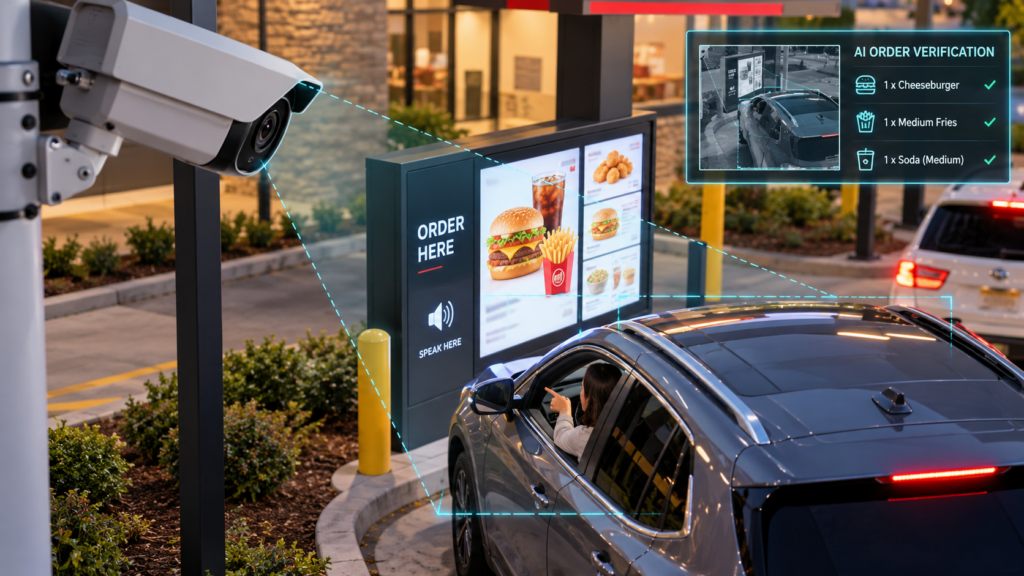
Walk the show floor at FSTEC 2026 and you could count the booths that weren’t selling AI on one hand. AI-powered POS. AI drive-thru ordering. Cameras that check every bag before it leaves the kitchen. Even sessions on other topics found their way back to AI before the Q&A.
The excitement makes sense. These tools promise faster service, more accurate orders and better labor planning. But one point rarely made it into the pitch: every AI feature shows up as physical equipment. It is a camera that needs a cable and a sensor that needs power. It is a small computer that needs space in the network closet, and a data stream that needs bandwidth. Multiply that across hundreds or thousands of locations, and the equipment behind the AI becomes the real project.
For IT operations leaders at restaurant, retail and multi-site brands, that is where the real planning starts.
AI arrives as hardware
Operators are moving fast. Qu surveyed quick-service and fast-casual brands for its 2026 State of Digital & Beyond report. It found that 73% are investing in AI now or plan to within the year. The National Restaurant Association’s State of the Restaurant Industry 2026 found that 26% of operators already use AI tools. Only 6% use AI for taking orders today, so much of the in-store equipment is still to come.
Most of today’s AI is software, such as marketing tools, sales forecasting and back-office automation. The next wave moves into the store itself, and it brings equipment:
-
-
- Vision cameras over the expo line, drive-thru lanes, prep stations and entrances
- Sensors for temperature, occupancy, equipment health and inventory
- Edge computing devices (small computers in the store) that run AI on site
- Voice AI hardware in drive-thru lanes and ordering points
- More screens and kiosks for AI-driven menus and self-service
-
Here is one example from the show floor. An expo printer prints a ticket for each order. It sends just a few bytes of data per order. An AI camera that checks order accuracy streams video all day. Both do roughly the same job, but they put very different demands on the network.
For years, stores have been built around a core of POS, digital signs, music and guest Wi-Fi. Over the next five to ten years, that core will grow to include dozens more connected devices per site.
Three Infrastructure Costs that Rarely Appear on the AI Quote
The software subscription is usually the easy number to find. The harder costs sit in the building.
- Cabling and Power
Every new camera, sensor and edge device needs a cable run. Most also need Power over Ethernet (PoE), which sends power through the same network cable. That adds up quickly:
-
-
- New cable runs to ceilings, drive-thru windows and kitchen lines. Older buildings often make this harder, with tight ceilings, few open pathways or strict landlord rules.
- Power limits. A standard PoE+ (802.3at) port on a network switch provides up to 30 watts. Higher-power PoE++ (802.3bt) ports provide 60 to 90 watts. Experts suggest buying switches with 20 to 30% more power than your devices need. Many store switches were bought for a few phones and Wi-Fi access points, not a dozen cameras.
- Space, power and cooling in network closets. These closets are often already full, and some double as storage rooms.
-
- Bandwidth, especially upload
Most store networks were built for card payments, POS updates and guest Wi-Fi. That traffic comes in small, short bursts. Video is the opposite. It is constant, heavy and flows out of the store.
Today, most store security video never leaves the building. Modern cloud camera systems record on site. They send only small preview images and alerts to the cloud. One major vendor puts that at about 20 kbps per camera until someone pulls up footage.
AI can change that. A tool that watches the expo line or drive-thru lanes needs a steady video feed. If the analysis happens in the cloud, that feed goes out over the store’s internet connection. A single HD camera (1080p at 30 frames per second) needs at least 4 Mbps. Three cameras covering an expo station and two drive-thru lanes could add about 12 Mbps of nonstop upload. That comes before the POS, kiosks, music, signs and Wi-Fi take their share.
Many business internet plans offer much slower upload speeds than download speeds. A store that looks “fast” on a download speed test can still struggle to send data out.
- Network Design and Security
More devices mean more ways for one system to get in the way of another. Good network design keeps each one in its own lane:
-
-
- Separate network segments. Video, smart sensors, guest Wi-Fi and payments should each sit on their own segment, called a VLAN. That way, a camera stream can never slow down a card payment. It also keeps cameras and sensors outside the parts of the network covered by payment card security rules (PCI).
- Traffic priority rules. Known as quality of service (QoS), these rules make sure payments and orders go first, ahead of video and analytics.
- Device security. Every camera and sensor is one more device to track, update and protect with strong passwords. Connected devices that nobody looks after are a common way for attackers to get into a network.
-
Edge or cloud: where the processing happens matters
The most important question to ask any AI vendor is simple: where does the AI actually do its work? It can run in the vendor’s cloud or on a small “edge” computer in the store. The answer changes your internet bill, the equipment you install and who supports it.
| Cloud processing | Edge (on-site) processing | Hybrid | |
| How it works | Video or data is sent to the vendor’s cloud to be analyzed | A device in the store analyzes the data | Analysis happens in the store; only results, alerts and short clips go to the cloud |
| Upload bandwidth | High and nonstop | Low | Low to moderate |
| How fast results arrive | Depends on the connection | Almost instant | Almost instant for in-store actions |
| Hardware in the store | Minimal | An edge computer at every site | An edge computer at every site |
| If the internet goes down | Analysis stops | Keeps working | Keeps working locally |
| What IT ops takes on | Faster internet plans and monthly data costs | Setting up, installing, updating and replacing devices at every site | Both, at a smaller scale |
Neither option is free. Cloud processing shifts the cost to internet service and monthly fees. Edge processing shifts it to equipment that must be set up, installed, watched and eventually replaced at every location. Many vendors now use a hybrid model. The details vary a lot, so get them in writing before you sign.
AI Rollout Checklist for Multi-Site Operators
Before you commit to an AI rollout, get clear answers to these questions. Ask the vendor, and ask your own team: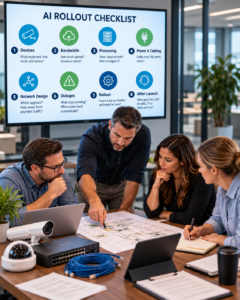
-
-
- Devices: What new equipment does this add at each site? How much, and where does each piece get mounted?
- Bandwidth: How much upload does each site need on a normal day and at peak? Does it stream video all the time, or only send alerts?
- Processing: Does the AI run in the store, in the cloud or both? Who owns, updates and replaces any equipment in the store?
- Power and cabling: How many new cable runs, PoE ports and watts does each site need? Can the current switches and closets handle it?
- Network design: Which network segment will it use? How is it kept away from payment traffic and outside PCI rules?
- Outages: What happens when the internet goes down? What stops working, and what comes back on its own?
- Rollout: How will devices be set up, installed and tested the same way at 50, 500 or 5,000 sites? What does a finished site look like?
- After launch: When a camera stops working, who gets the call? Is it the vendor, your IT team or a field service partner?
-
If a vendor can’t give clear answers to questions 1 through 3, the plan isn’t finished yet. That’s true no matter how good the demo looked.
Start with outcomes, then build the infrastructure
At FSTEC, a panel of restaurant tech leaders offered advice that fits here: be crystal clear about the outcomes you want. Faster drive-thru times, fewer order mistakes and smarter staffing are outcomes. “Adding AI” is not.
Many brands are spending on AI but not yet seeing results. In Qu’s 2026 report, only 9% of brands said AI has made a big difference so far. Another 43% said it has made little difference. More than half (55%) said their biggest barrier is carrying out plans in the stores. Over a third (37%) pointed to systems and data that don’t connect.
The right equipment and network are a big part of carrying out those plans. Two habits help:
-
-
- Choose by outcome, then check readiness. Pick the tool that delivers the result you need. Then make sure every store in the rollout can support it, not just your newest one.
- Test in typical stores. A pilot in a brand-new store with new cabling and fiber internet proves little about a 15-year-old store on cable internet. Choose pilot stores that match the real mix of locations you operate.
-
The brands that win with AI will have stores ready for it
AI in restaurants and retail is real, and it is only getting started. But the winners won’t be decided only by whose AI is smartest. They will be the brands that get their stores ready. That means the cabling, power, bandwidth and network design that let AI tools work the same way at every location, every day.
For IT teams, the work starts before the contract is signed. Check the sites, size the network and plan the rollout.
Worldlink Integration Group helps restaurant and retail brands get their stores ready for new technology. We handle site surveys, cabling, network readiness, device setup and nationwide rollouts. Talk to our team about getting your stores ready for what’s next.