

There was a time when store technology work had a season. Rollouts wrapped up by late September. Network changes, hardware swaps and new programs went on the shelf, and nobody touched the stores again until January.
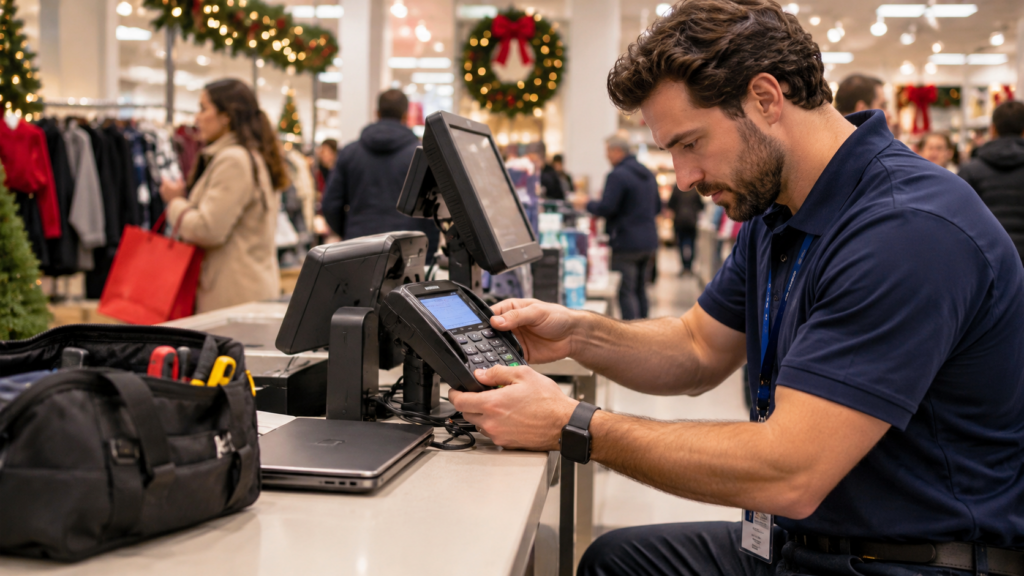
A week before Black Friday, our technicians are still in stores finishing installs, swapping hardware and launching programs that had to go live before the holidays.
Holiday registers were the classic example. For years, many stores added one or more registers to handle extra sales during the season. Some came out in January; others stayed for good. Either way, the work was always finished before Black Friday.
That calendar is mostly gone. One retailer we support is in the middle of a PIN pad upgrade that, because of hardware delays, will run a couple of weeks past Black Friday. In the past, a project like that would have been paused until after the holidays. This time, they’re pushing it through, because the new devices keep stores compliant and reliable through the busiest weeks of the year.
The freeze hasn’t disappeared. It has shrunk and changed shape. The problem is that many teams still run on rules written for the old calendar, so they either stall work that could safely go ahead or make risky changes without clear IT blackout windows or guardrails.
 What changed
 What changed
The peak got longer, flatter and more online. Four shifts explain why the old freeze no longer fits.
The season starts earlier. Big retailers now hold major sales events in early October, and some start Black Friday deals before November. This year, one home improvement chain launched its 2026 Black Friday deals on October 29, about four weeks earlier than usual. Shoppers have followed: a 2026 InMarket and Kantar survey found that two-thirds of consumers start holiday shopping by October (Path to Purchase Institute).
Black Friday is spreading out. In 2025, store traffic on Black Friday fell 3.6% from the year before, though it was still the busiest store day of the year (RetailNext). Sensormatic’s retail consulting head said Black Friday has become a full-week event (AP).
More of the peak is online. U.S. shoppers spent a record $11.8 billion online that Black Friday, up 9.1%, according to Adobe Analytics (Marketing Dive). For store IT, the risk now sits as much in pickup counters, delivery tablets and order systems as in the registers.
Projects don’t stop. Budgets often land late in the year and must be spent. Hardware is harder to find, so when it arrives, it goes out. If you’ve spent the money on the hardware, you don’t want it sitting around. Multi-year rollouts can’t pause for three or four months every year without slipping a full year.
The result: there is no clean quiet period anymore. Change risk is spread across a longer stretch, from October into January.
Why “no freeze” Isn’t The Answer
A shorter freeze doesn’t mean peak stopped mattering. It’s still when a failure costs the most. November and December average about 19% of annual U.S. retail sales, and a register that’s a minor annoyance when it fails in July costs real money in December.
Peak also makes every problem harder to fix:
-
-
- Stores are stretched. Seasonal staff don’t know the workarounds, and managers have no time to host a technician.
- Field resources are tight. Technicians, spare parts and overnight shipping are all in higher demand.
- Recovery takes longer. A change that goes wrong on a Tuesday in March can be rolled back overnight. On a Saturday in December, the store is too busy.
-
So the question isn’t whether to freeze. It’s which changes are safe to make, when, and with what backup in place.
From a Blanket Freeze to a Smart Freeze
A smart freeze replaces one date on the calendar with a few clear rules. Five steps make the difference.
- Sort store work by risk, not by calendar
Not every change carries the same risk. Group store work into tiers and set a rule for each:
| Type of work | Examples | During peak |
| Revenue-critical | POS, payment terminals, store network core, firewalls | Frozen, except emergencies |
| Customer-facing, not critical | Kiosks, digital menu boards, signage | Allowed with approval and a rollback plan |
| Behind the scenes | Back-office PCs, cameras, sensors, cable cleanup | Allowed during agreed hours |
| Break/fix and security | Replacing a failed device, urgent security patches | Always allowed, with a fast approval path |
The last row matters most. Security fixes should never wait for January, and a store with a dead device shouldn’t wait for an approval meeting.
- Set IT blackout windows by the hour, not the month
The riskiest times are hours, not seasons: peak weekends, lunch and dinner rushes, opening and closing. Agree on standard work windows for each store type, such as weekday mornings before opening or after close. Then share them with your field service partner so every visit is booked inside them.
- Set a last install date, with room to recover
Pick a final date for new installs ahead of your peak. Then leave a buffer of a week or two for fixes and second visits before traffic builds. Don’t count a site as done until it’s tested and working, not just installed.
- Get support ready, not just the change calendar
A freeze reduces new problems. It does nothing for the ones that happen anyway. Before peak:
-
-
- Stage spare parts and replacement units close to your stores.
- Extend help desk hours to cover the times your stores are busiest.
- Have field technicians on call for peak weekends.
- Confirm how to reach every vendor’s support line during the holidays.
-
- Write it down and share it
Put it all on one peak calendar: risk tiers, blackout hours, last install date and escalation contacts. Share it with store operations, vendors and field partners, so nobody finds out about the rules from a declined work order.
Every operation has its own peak
The holiday freeze started in retail, but every multi-site operation has a season when a failure hurts most. The rules above still apply. Only the calendar changes.
-
-
- Restaurants: December brings holiday parties, catering orders and gift card sales. The daily rush matters even more: a change at 11:30 a.m. is riskier than one at 2 p.m. in any month.
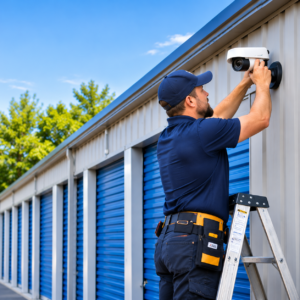
- Self-storage: Demand typically peaks with spring and summer moving season, which makes late fall and winter a good time for camera, gate and access upgrades.
- Schools: The calendar runs the other way. Winter break is often the biggest work window of the year, and testing periods are the true freeze.
- Healthcare: Clinics rarely close, so there is no quiet season. Many see their busiest weeks around flu season and the end of the year, when patients rush to use benefits before deductibles reset.
-
If your team still schedules around a retail calendar it inherited, check it against when your own sites are actually busiest.
Before your Next Peak: A Checklist
-
-
- Do we know when our busy season starts now, not when it started five years ago?
- Have we sorted store work into risk tiers, with a rule for each?
- Are work windows set for each store type, and does our field partner know them?
- Is there a last install date, with time to fix problems before traffic builds?
- Are spare parts and replacement units staged before the freeze starts?
- Is the help desk staffed for the hours our stores are busiest?
- Is there a fast approval path for emergency and security changes?
- After peak, will we review what broke, and what waited longer than it should have?
-
The calendar changed. The rules should too.
The busy season is now longer, flatter and more online than the one most freeze policies were written for. Teams still working on “freeze in September, thaw in January” will either hold up projects for no good reason or make risky changes with no rules at all. A smart freeze avoids both.
Worldlink helps multi-site teams finish rollouts before their peak season and keeps stores supported through it, with field technicians, staging and help desk coverage nationwide. If you have a project you’d like to discuss, reach out today.
