

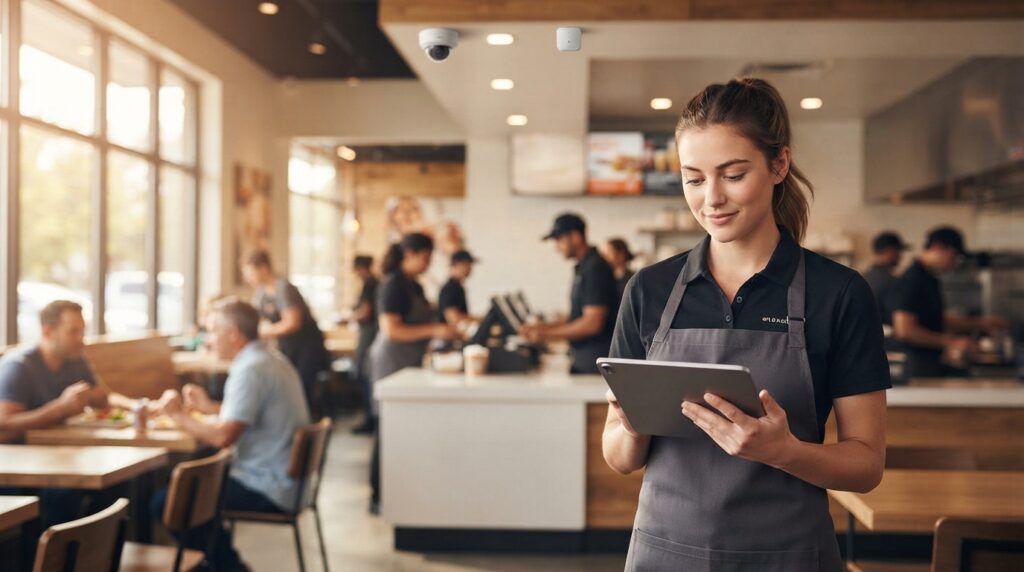
A camera above the dining room notices a table has sat dirty for 12 minutes and pings the shift lead. A sensor in the walk-in cooler sends an alert at 2 a.m. when the temperature starts to climb, hours before anyone opens the door. In a school restroom, a device that looks like a smoke detector texts the assistant principal when it picks up vape aerosol.
With this next wave of technology and devices, no customer taps it or interacts with it. It just watches the room.
That is a real change in what store technology is for. For years, most in-store tech was built for the person standing in front of it. The next wave is built to understand the store itself. That changes how IT teams should choose, place, check and run it.
How In-Store Sensors and Cameras Change the Job
Think about the big store rollouts of the last 20 years: POS, kiosks, self-checkout, digital menu boards, price checkers, handhelds. Each one was built for a person to use. You knew immediately if it was working.
The newer devices are different. Cameras now time the drive-thru, check order accuracy and spot messy tables, not just record for security. Sensors track cooler and freezer temperatures, air quality, how many people are in a space, and how equipment is running. Nobody uses these devices directly. Their value comes from what they notice and what someone does about it.
The Differences
| Tech People Use (kiosk, POS) | Tech That Watches the Store (camera, sensor) | |
| Who interacts with it | A guest or an employee | Usually no one |
| When it pays off | When someone uses it | When someone acts on what it reports |
| What placement has to do | Be easy to reach | See or measure exactly the right thing |
| How failure shows up | Loudly: someone complains | Quietly: it keeps reporting, just wrongly |
| How you measure success | Uptime and adoption | Accuracy and action taken |
The last two rows matter most for IT. A broken kiosk gets noticed in minutes. A camera that got bumped can send bad data for months.
Why Now?
Watching the room isn’t new. Security cameras and thermometers have been in stores for decades. What’s new is that the data is now more useful, for four reasons.
-
-
- AI can do the watching. In the past, a camera feed or a temperature log meant hours of footage or pages of numbers nobody had time to review. Now software can watch around the clock and flag only what matters. Culver’s, for example, is rolling out camera-based AI to about 1,000 restaurants this year to measure service speed and drive-thru flow (Restaurant Dive).
- The hardware got more cost effective. Cameras that once cost several thousand dollars now cost a couple hundred (Restaurant Business). Small wireless sensors cost even less.
- Managers are stretched thin. With fewer managers covering more hours and more stores, a device that spots a problem saves someone from having to spend time walking the floor to find it.
- Food-safety logs are leaving the clipboard. Cold food must be held at 41°F or below under the FDA Food Code. Yet in a 2026 survey of 400+ restaurants, only 14% used automated sensors to track cold storage; 46% used spreadsheets and 20% used paper logs. One in five weren’t confident the logging was done right and on time (MachineQ survey via Fierce Sensors).
-
These devices also put new demands on the store network: more endpoints, more power and more upload traffic. We covered capacity challenges in Restaurant Network Infrastructure for AI. This article is about everything else that changes.
What Changes for IT
- Placement is the Product

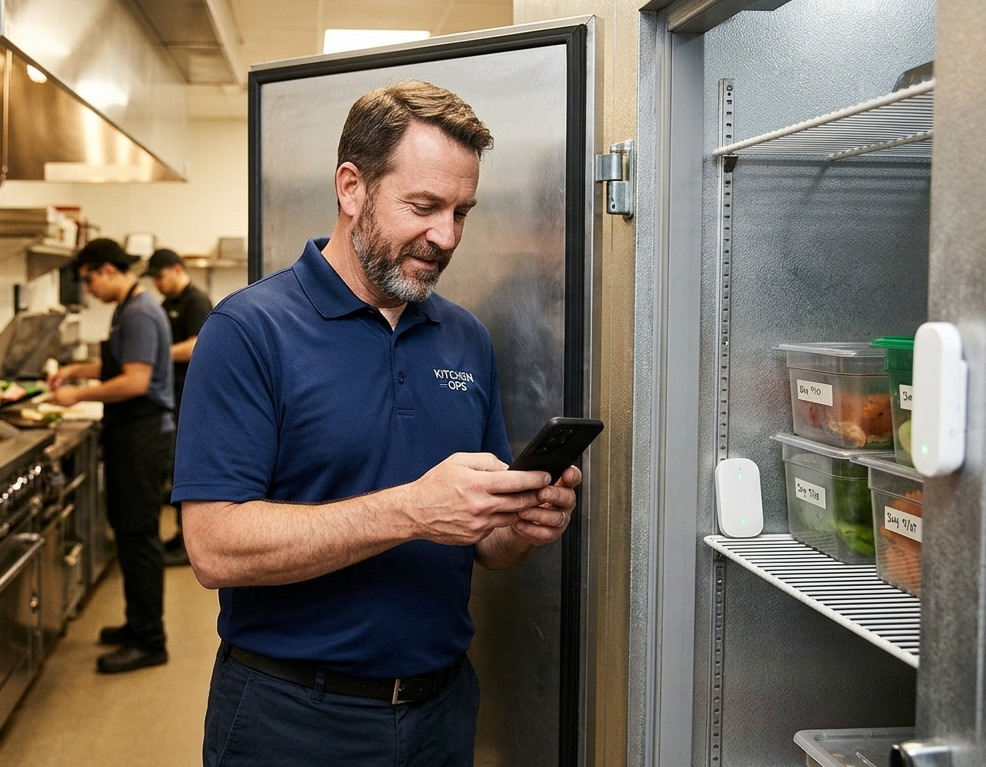
A kiosk in a slightly awkward spot still works. Guests walk a few extra steps. A camera aimed six inches too far left misses the pickup counter entirely. A temperature probe placed near the cooler door measures the draft every time the door opens, not the food.
For these devices, where they sit decides whether they’re useful at all. AI cameras need enough detail on the thing they watch, and poor lighting hurts detection long before the picture looks bad to a person.
That changes the site survey. The old question was “Where’s the power and data?” The new question is “What does this device need to see or measure, and from where?” The answer can differ for each store layout, so it needs to be settled before rollout, not guessed at on install day.
Placement can also change after install. A new menu board, a moved fixture or a remodel can block a camera that was perfect on day one. Practical steps:
-
-
- Approve device placement for each store layout before rollout.
- Photograph each device’s view (or reading location) at install, so you have a baseline.
- Recheck placement after remodels, resets and equipment swaps.
-
- Plan for Quiet Failure
Devices that watch the room rarely go dark. More often they start sending data that’s wrong. A lens gets dirty or bumped. A sensor gets moved during cleaning. A battery runs low. Readings drift over time.
Schools that installed vape detectors learned this quickly. The devices work, but perfume and spray deodorant can set them off (NPR). Each false alarm teaches staff to trust the next alert a little less.
We saw a version of this on a recent multi-site camera rollout. Soon after install, a site manager told us the new cameras looked “too zoomed in.” Areas that were supposed to be covered weren’t showing up on screen. Our field tech and engineers dug in and found something surprising: the cameras couldn’t zoom at all, because they have no optical zoom. The cause was a display setting in the cloud video platform. That site hadn’t reached its final quality check yet, so nobody had caught it.
This one was found quickly because someone happened to be watching the feed. If no one had looked, the site could have gone weeks with blind spots in areas everyone believed were covered.
The lesson for IT: “online” isn’t the same as “accurate.” Your monitoring tells you a device is connected. It doesn’t tell you the device still sees the counter. Practical steps:
-
-
- Schedule regular accuracy checks, such as a quick photo of a camera’s view or a test reading.
- Set a cleaning and battery check/change schedule for each device type.
- Fold these checks into visits techs are already making, so they don’t add extra trips.
-
- Every Alert Needs an Owner
An alert at 2 p.m. on a Saturday is only useful if someone acts on it. Before you turn on a new alert, decide who gets it and what they’re expected to do.
Too many alerts cause the opposite problem. When staff get flooded with notifications, they stop reading them, including the ones that matter. Start with a few alerts tied to a clear action, then review them after 30 to 60 days. Keep the ones people acted on and cut the noise.
- Many Small Devices from Many Vendors
A single store might soon have cameras from one vendor, temperature sensors from another and air-quality sensors from a third. Each has its own app, firmware and batteries.
That adds up fast across hundreds of stores. Keep one inventory of every device across all vendors. Use the same mounting and labeling standards everywhere. And get a clear answer, before rollout, to a simple question: who services the sensor in the ceiling?
 The People Side: Insight or Surveillance?
 The People Side: Insight or Surveillance?
The same camera can help a crew or make them feel graded. If it spots a slow station so a manager can send help, it makes the shift easier. If it puts a timer on every employee, it feels a lot more intrusive.
People see both sides. In a Pew Research Center survey of U.S. adults, 81% said workers would feel inappropriately watched if employers used AI to monitor them. But about half also said it would improve workplace security (Pew Research Center, surveyed in late 2022). In a 2026 survey of about 8,000 workers, 82% said employers should be legally required to disclose AI monitoring (TechRadar on Owl Labs).
There’s also the question of what happens to the time these tools save. If the hours saved simply turn into smaller shifts, service may not get better at all. The brands that get the most from this tech decide up front what the freed-up time is for, such as more time with guests or better training.
A few steps help this go well:
-
-
- Let staff know what’s being measured and why.
- Use the data to fix processes, not to discipline individuals.
- Involve store managers in choosing which alerts matter.
- Check notice rules before rollout. They vary by state and are changing fast. Connecticut, for example, updated its rules in October 2026 to require posted notice at the specific locations where monitoring happens (Epstein Becker Green). Talk with your legal team before installing devices that capture employee activity.
-
Before you pilot: seven questions
-
-
- What decision or action will this data drive, and who will take it?
- What exactly does the device need to see or measure, and where must it sit in each store layout?
- How will we know it’s accurate, not just online?
- Who cleans, recalibrates and replaces batteries, and how often?
- Which alerts go to whom, and what response do we expect?
- What will we tell employees, and what won’t the data be used for?
- Does the pilot include an older, typical store, not just the newest one?
-
A new definition of “working”
For years, store tech success came down to two questions: Is it up? Are people using it? For devices that watch the room, the questions change: Is it seeing the right thing? Is someone acting on what it finds?
Brands that plan for placement, accuracy and people will get real insight from these tools. Brands that don’t will end up with dashboards nobody trusts.
Worldlink surveys, installs, validates and services in-store technology for multi-site brands nationwide, from the first site survey through ongoing support. If you’d like to talk about one of your projects, contact us now to discuss.
